Built with AI.Launched without the disasters.
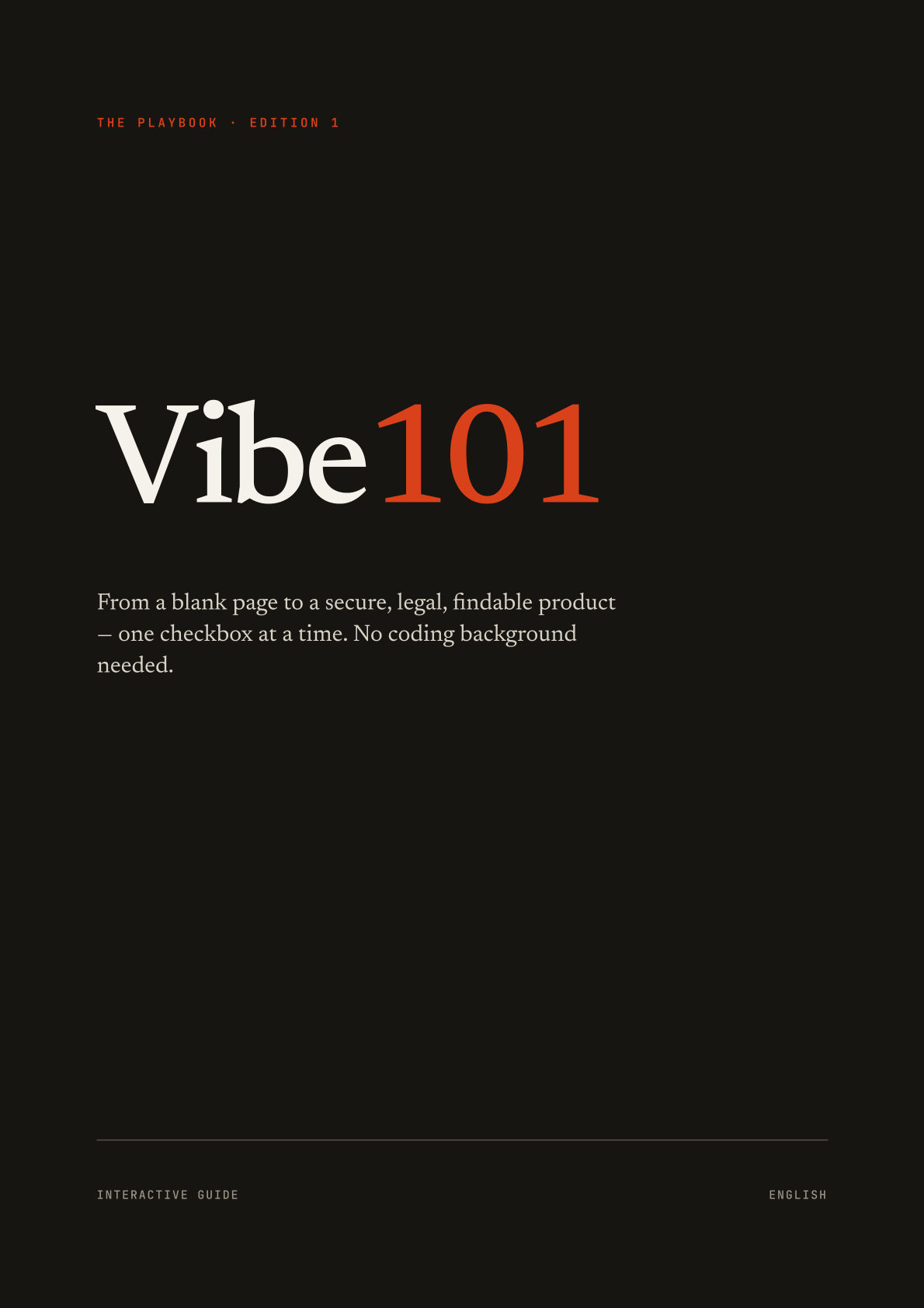
Vibe101 is a checklist guide for people who build with Claude and don't write code. Eleven chapters take you from a blank page to a product that is secure, legal and findable. One checkbox at a time.
Chapter 04, Security first. PDF, no email needed.
AI builds fast. Nobody checks the boring parts.
These three failures hit almost every first product. Each one has a chapter.
Hacked.
AI writes code that works. It rarely writes code that is safe. Keys in the repo, open databases and uncapped bills are how first products die.
Fined.
Cookie banners, fonts, emails, renewal terms. Small-site legal traps cost real money in the EU, and nobody warns you.
Ignored.
A product nobody can find is not a product. Sitemaps, redirects, search consoles and first customers, done in the right order.
From blank page to launched.
Scroll the route. Every chapter is a stop with a clear goal, the prompts to paste, and a way to know you are done.
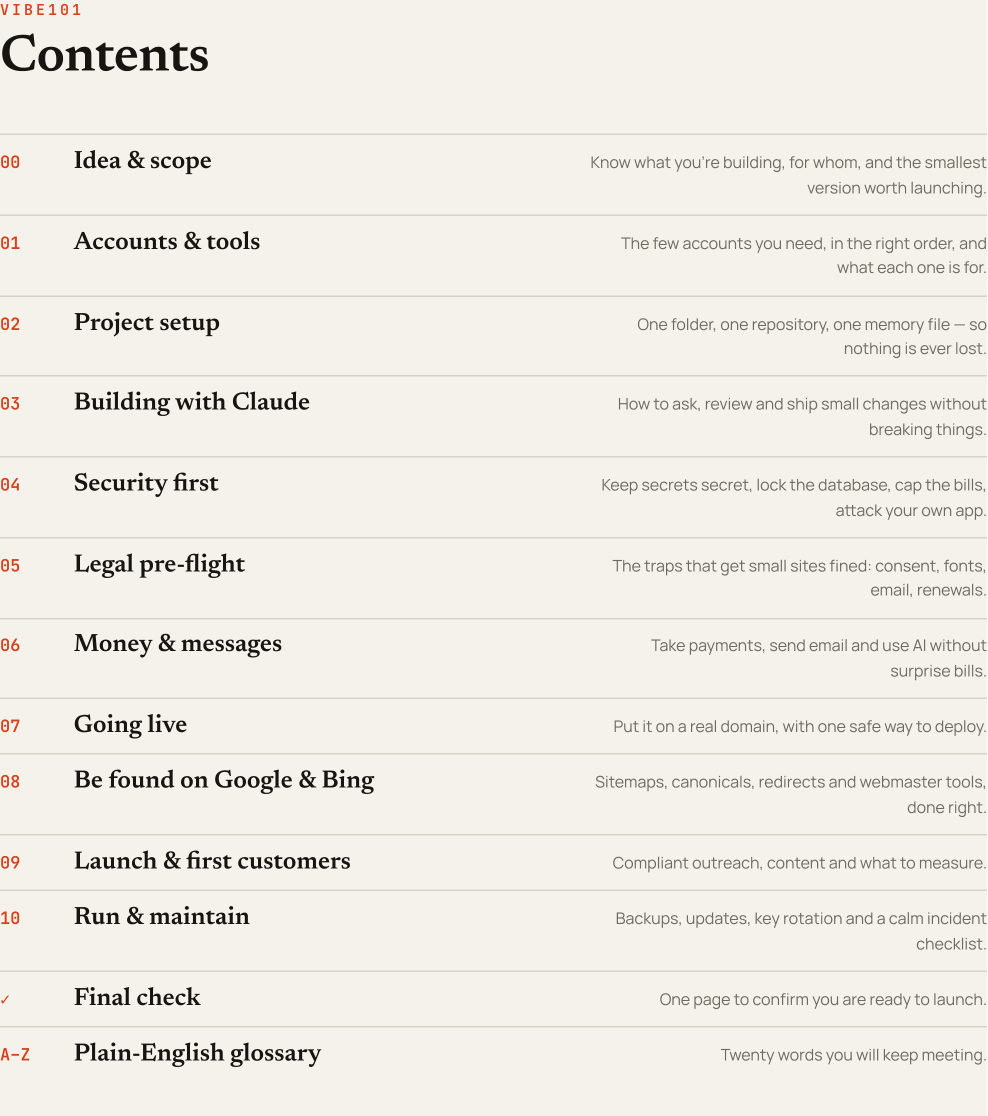
Idea & scope
Vibe coding means you describe what you want in plain words and an AI writes the code. You still make every decision. This chapter turns a vague idea into a one-page brief that Claude can build from.
- Say it in one sentence
- Talk to five real people first
- Cut to the smallest version worth launching
- Choose the name and check the domain
- Decide how you will earn
- Pick your markets and languages
- Write the one-page brief
Accounts & tools
A short list of accounts and tools, set up in the right order, with the safe habits that stop the most common disasters.
- Install Claude Code and the basics
- Create one email and a password manager
- Create the accounts, in this order
- Sign in from the terminal, never in the chat
- Keep everything under accounts you own
- Set up cost alerts before anything costs money
- Keep an accounts sheet
Project setup
One folder, one repository, one memory file. Set this up once and your project survives crashes, breaks and bad days.
- Create the folder and the repository
- Pick one boring stack
- Write CLAUDE.md, the rule book
- Keep a memory and a checkpoint file
- Branch, pull request, merge
- Protect the repo: .gitignore and .env.example
- Make the repeat jobs one command
Building with Claude
How to ask Claude for things so the result is good, small and easy to check. This is the heart of vibe coding.
- Start each session with the same two files
- Plan first, then build
- Use the four-part prompt
- Work in small slices
- Look at it yourself, on a phone too
- Ask for design options before you commit to one
- Test the parts that cost money or trust
- Have Claude review its own work
- When stuck, don't fight
- Don't let it invent facts
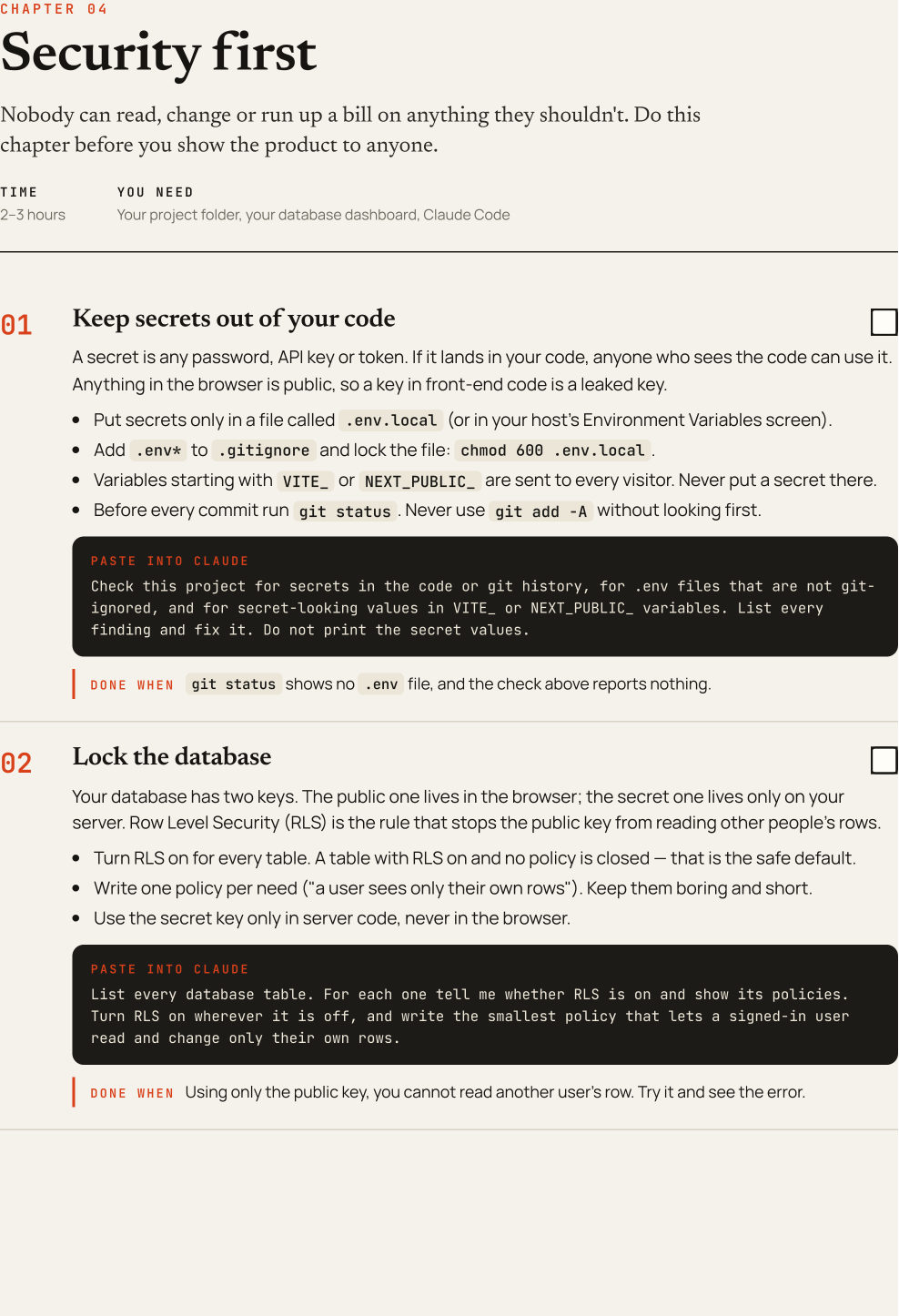
Security first
Nobody can read, change or run up a bill on anything they shouldn't. Do this chapter before you show the product to anyone.
- Keep secrets out of your code
- Lock the database
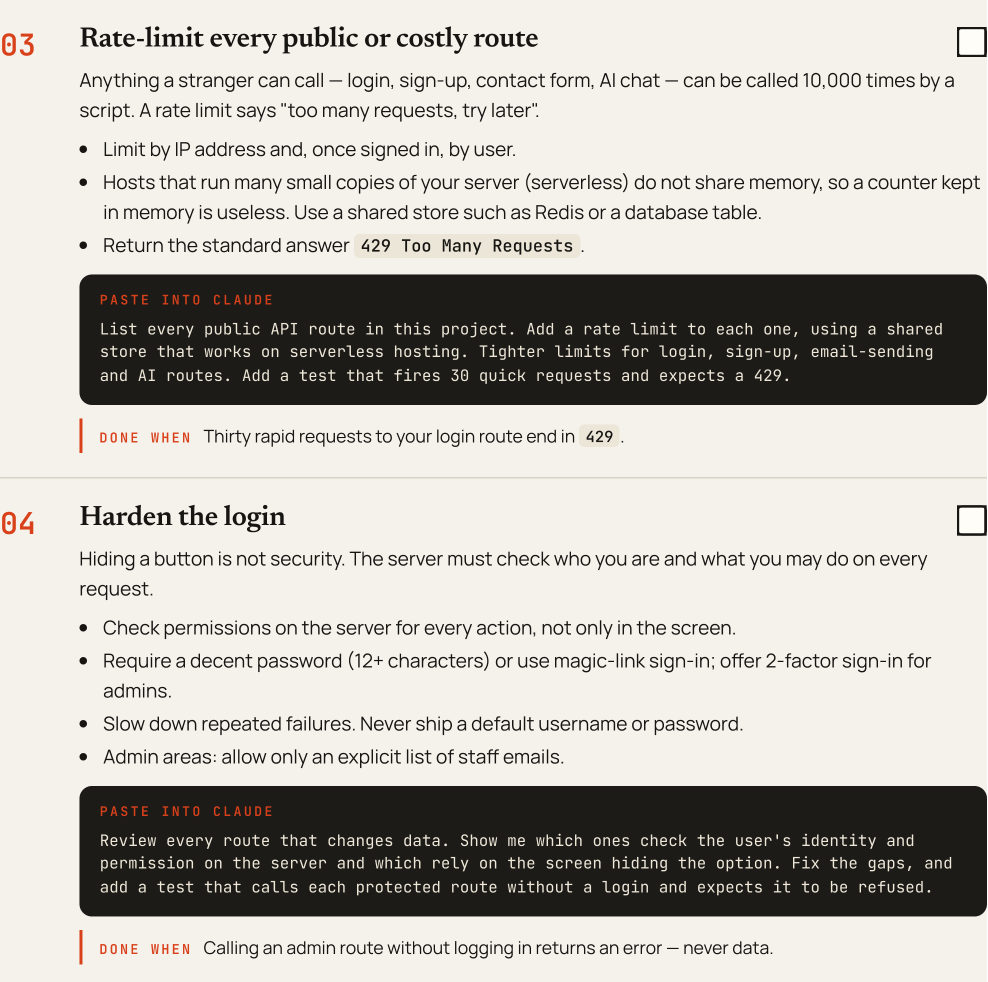
- Rate-limit every public or costly route
- Harden the login
- Cap what AI and paid services can cost
- Fail closed, never open
- Attack your own app
- Clean up, then ship
Legal pre-flight
Small sites get fined for small mistakes. This chapter closes the six most common legal traps before you launch. It's a practical checklist, not legal advice.
- State who the service is for
- Publish privacy, terms and cookie pages
- Host your fonts and files yourself
- No tracking before the visitor says yes
- Make marketing email lawful
- Show renewal terms next to the subscribe button
- Give people a way to reach you and to remove content
- Check consent for SMS and messaging
- Run the scan, then ask a professional
Money & messages
Take money, send messages and use AI features without ever being surprised by a bill, a bounced email or a double charge.
- Start payments in test mode
- Trust webhooks, and verify them
- Sort out tax and invoices early
- Set up email sending the right way
- Make sign-in emails reliable
- Add AI features with a safety net
- Check the environment before going live
- Work out your unit economics
Going live
Move from "works on my computer" to a real address, with one safe, repeatable way to deploy and a quick way to check it worked.
- Match the host to the app
- Set the production environment variables
- Buy the domain and point it
- Pick one canonical address
- Write one safe deploy script
- Check it really worked
- Keep one project per site and tidy the rest
- Know how to roll back
Be found on Google & Bing
Being live is not the same as being found. This chapter makes sure Google and Bing can find, understand and index your pages, and how to read what they tell you.
- Create a clean sitemap
- Add robots.txt
- Verify ownership in Google and Bing
- Submit the sitemap
- Make unknown pages return a real 404
- Give every page its own title and canonical
- Handle removed pages properly
- Read the Search Console report
- Validate, wait, repeat
Launch & first customers
Launch carefully, find your first customers without annoying or breaking rules, and measure only what matters.
- Run the pre-launch check
- Make the landing page answer three questions
- Offer a demo or a free trial
- Reach out lawfully
- Post useful content on a steady schedule
- Measure a few numbers
- Talk to your first ten customers
- Set up support you can keep up with
Run & maintain
A live product needs regular care. These habits keep it safe and cheap, and make bad days short.
- Back up the database, and test restoring
- Update on a schedule
- Rotate keys on a calendar
- Watch for trouble automatically
- Tidy access
- Have an incident plan before you need one
- Re-run the attack tests every quarter
- Keep your notes current
See the real pages.
No mock-ups. These are pages from the guide itself, with the same tick-boxes and prompts you get.
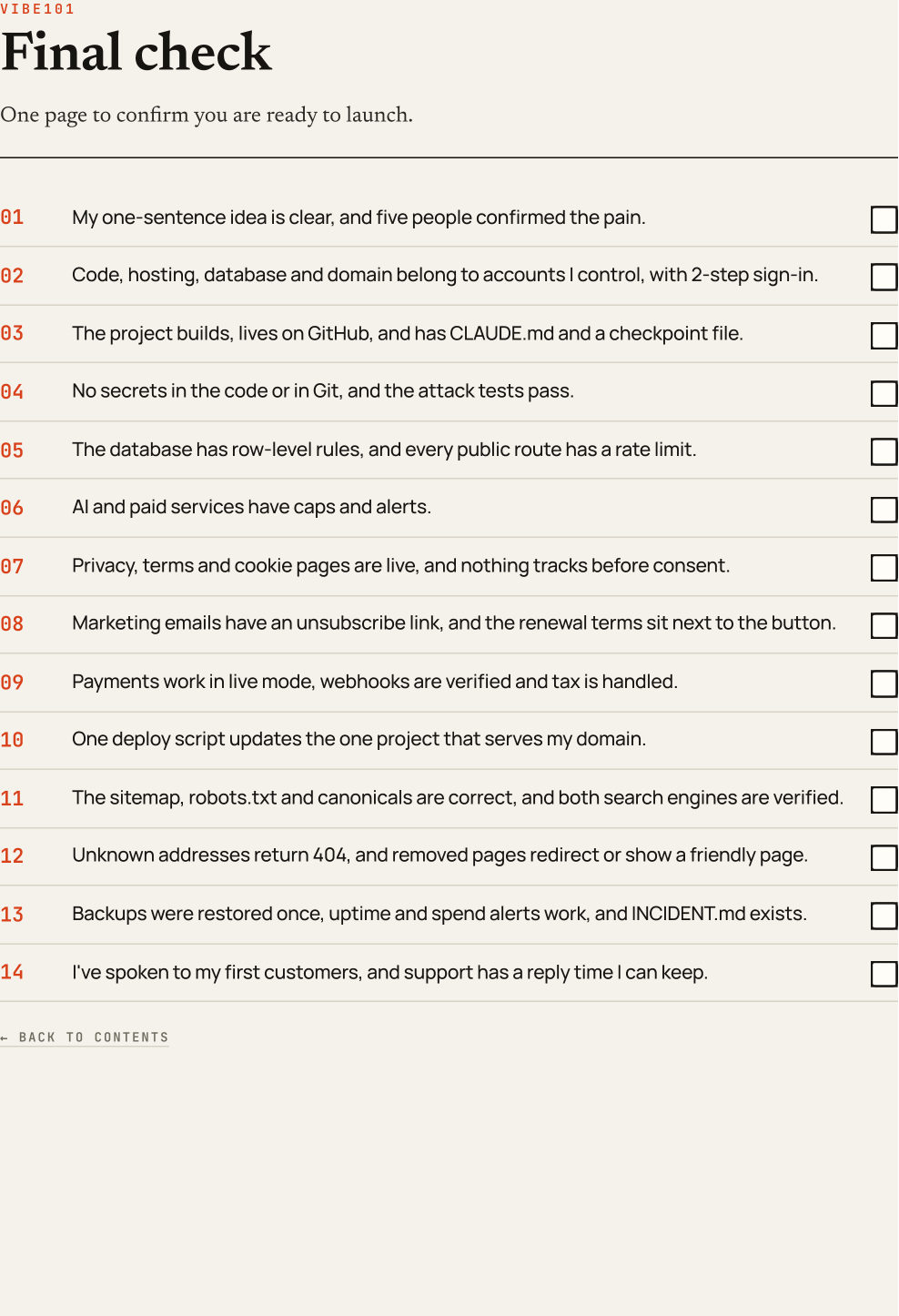
Tick. That is the whole method.
Every step in the guide ends with a box like these. Try six of them from the security chapter.
Made for people who ship without a dev team.
- Founders and freelancers building a first product with AI tools
- People who can follow instructions but do not read code
- Anyone who wants the boring but critical parts done right: security, legal, being found
Not for experienced developers who already run security reviews, or anyone looking for a get-rich-quick scheme. It is a guide, not a guarantee of results.
By Eleftherios Douroumis · Limassol, Cyprus · from the checklist used to ship his own software products
Get the full guide.
One payment. Instant PDF. Free updates for twelve months.
Vibe101
- All 11 chapters and final check
- 103 interactive checkboxes
- 89 copy-paste prompts
- Free updates for 12 months
Questions, answered.
What format is it?
A PDF with real tick-boxes that work in any PDF reader, plus bookmarks. English and Greek editions.
Do I need to know how to code?
No. Every step tells you what to paste into Claude and how to check the result.
Is this legal or security advice?
No. It is a practical checklist, not legal advice and not a security audit. For high-risk products, consult a qualified professional.
Will it be updated?
Yes. Buyers get edition updates for 12 months.